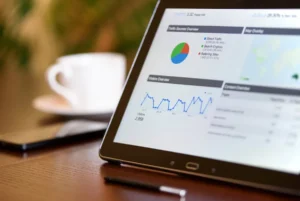
A desktop rank checker shows where your pages rank for target keywords on a desktop search result, then records position changes over time so you can spot gains, losses, and coverage gaps quickly. For SEO teams, agencies, publishers, and site owners, the practical value is simple: you can verify desktop visibility, compare movement by keyword group, identify which URLs are winning or slipping, and turn that data into reporting and next actions.
What a desktop rank checker does
A desktop rank checker tracks keyword positions as they appear on desktop search results rather than assuming mobile and desktop performance are the same. That matters because rankings, SERP layouts, click behavior, and competing pages often differ by device. A page that performs well on mobile may sit lower on desktop because of different result features, stronger desktop-first competitors, or a mismatch between query intent and page format.
With Rank Tracking Tool, the core job is not just to collect a position number. It helps you monitor movement trends, segment keywords by topic, map keywords to landing pages, and review visibility changes at a level that supports action. Instead of checking a few terms manually, you can track a full keyword set and see which parts of your site are improving, stalling, or declining on desktop.
When to use a desktop rank checker
Use a desktop rank checker whenever desktop traffic matters to your business or your reporting needs to reflect device-specific performance. This is especially important for B2B sites, SaaS companies, publishers, local service businesses, and agencies managing clients with mixed device audiences.
Use it after site changes
Track rankings after migrations, template updates, internal linking changes, title rewrites, content refreshes, and technical fixes. Desktop rankings often react differently than mobile rankings, so separate tracking helps confirm whether changes actually improved visibility.
Use it for client and stakeholder reporting
If you report on SEO performance monthly or weekly, desktop rank tracking gives you a cleaner view of keyword movement than broad traffic summaries alone. You can show which keyword groups moved, which URLs gained visibility, and where losses need investigation.
Use it to validate page intent and keyword targeting
When multiple URLs compete for similar terms, a desktop rank checker helps you see which page is being rewarded for each query. That makes it easier to resolve cannibalization, strengthen the right page, and align content with desktop search intent.
What to look for in a useful desktop rank checker
The best desktop rank checker is not the one that simply returns a rank. It is the one that helps you interpret movement and prioritize work.
Daily or scheduled rank updates
Frequent updates make movement analysis more reliable. If rankings change after a release, campaign, or competitor push, you want to see that quickly rather than waiting for a manual check.
Keyword grouping and tagging
Organize terms by product line, service category, location, funnel stage, or content hub. Grouping lets you identify whether a drop is isolated to one topic cluster or affecting your wider desktop visibility.
Landing page mapping
A strong rank checker shows which URL ranks for each term. This is critical for spotting page swaps, weak page targeting, and opportunities to consolidate or strengthen content.
Movement and visibility reporting
Position snapshots are useful, but trend reporting is what drives decisions. Look for tools that show winners, losers, net movement, and share of tracked keywords in top 3, top 10, and top 20 positions.
Location and search engine controls
Desktop rankings can vary by market. If you serve multiple regions, accurate location targeting matters. The same keyword may rank differently by city, country, or search engine variation.
Practical benefits for SEO teams
- Confirm desktop ranking changes after SEO updates
- Find declining keyword groups before traffic losses become obvious
- See which landing pages own priority terms
- Measure keyword coverage across topics, locations, or clients
- Build clearer reports around movement, visibility, and next steps
How Rank Tracking Tool makes desktop rank checking more useful
Rank Tracking Tool is built for ongoing rank monitoring rather than one-off checks. That means you can track a set of desktop keywords, review movement by date range, and segment results in ways that support real SEO work. Instead of asking, “What is my rank today?” you can answer, “Which keyword clusters gained visibility this month, which URLs lost desktop positions, and what should we fix first?”
For agencies and consultants, that creates a more defensible reporting process. For in-house teams and publishers, it shortens the gap between ranking movement and action. If a category page drops across a tracked desktop keyword set, you can investigate internal links, on-page changes, competing pages, and SERP shifts before the issue spreads.
How to use desktop ranking data for action
Desktop ranking data is most valuable when tied to page-level decisions. Start by separating your tracked keywords into priority groups. Review which groups improved, which held steady, and which declined. Then connect those changes to the ranking URL, recent site edits, and competitor movement.
Focus on movement, not isolated positions
A single keyword moving from position 8 to 10 matters less than a whole topic cluster slipping across desktop results. Trend analysis helps you avoid overreacting to noise and focus on patterns that affect visibility.
Review page ownership
If the wrong page ranks for a desktop query, you may need to update internal anchors, refine titles and headings, merge overlapping content, or improve topical depth on the intended page.
Prioritize near-win opportunities
Keywords sitting just outside the top results often offer the fastest gains. Use desktop rank tracking to find terms in positions 4 to 15, then improve the page supporting those terms with stronger relevance, better structure, and clearer intent matching.
Short workflow example
An agency tracks 150 desktop keywords for a B2B software client. In the weekly report, one tagged group for “pricing” terms drops across desktop results. The rank checker shows that the main pricing page lost positions while a blog post started ranking for several of those terms. The team updates internal links to reinforce the pricing page, tightens title targeting, expands comparison content, and monitors the tagged group over the next two weeks. Reporting then shows whether desktop visibility returned at the page and keyword-group level.
Desktop rank checker FAQ
Why check desktop rankings separately from mobile?
Because rankings, SERP features, and user behavior can differ by device. Separate tracking gives you a more accurate picture of visibility and helps explain performance differences.
How often should desktop rankings be tracked?
For active SEO campaigns, daily or scheduled weekly tracking is usually best. Frequent updates make it easier to connect ranking movement to site changes and reporting periods.
Can a desktop rank checker help with content planning?
Yes. It shows which keyword groups lack strong rankings, which pages already have traction, and where new or improved content could expand desktop keyword coverage.
What should I do when desktop rankings drop?
Check which keyword groups fell, which URLs were affected, whether another page replaced the intended landing page, and whether recent site changes or competitor gains explain the movement. Then prioritize fixes based on the largest visibility impact.